A neovim port of the high contrast noctis theme for VSCode.
| colors | ||
| lua/lush_theme | ||
| .gitignore | ||
| LICENSE | ||
| README.md | ||

Noctis for Neovim
A neovim port of the Noctis theme for VSCode with TreeSitter support with pure black background.
Note: This colorscheme is under active development, but is mostly usable at this point. Docs and a bunch of useful features with mostly no breaking changes will be added.
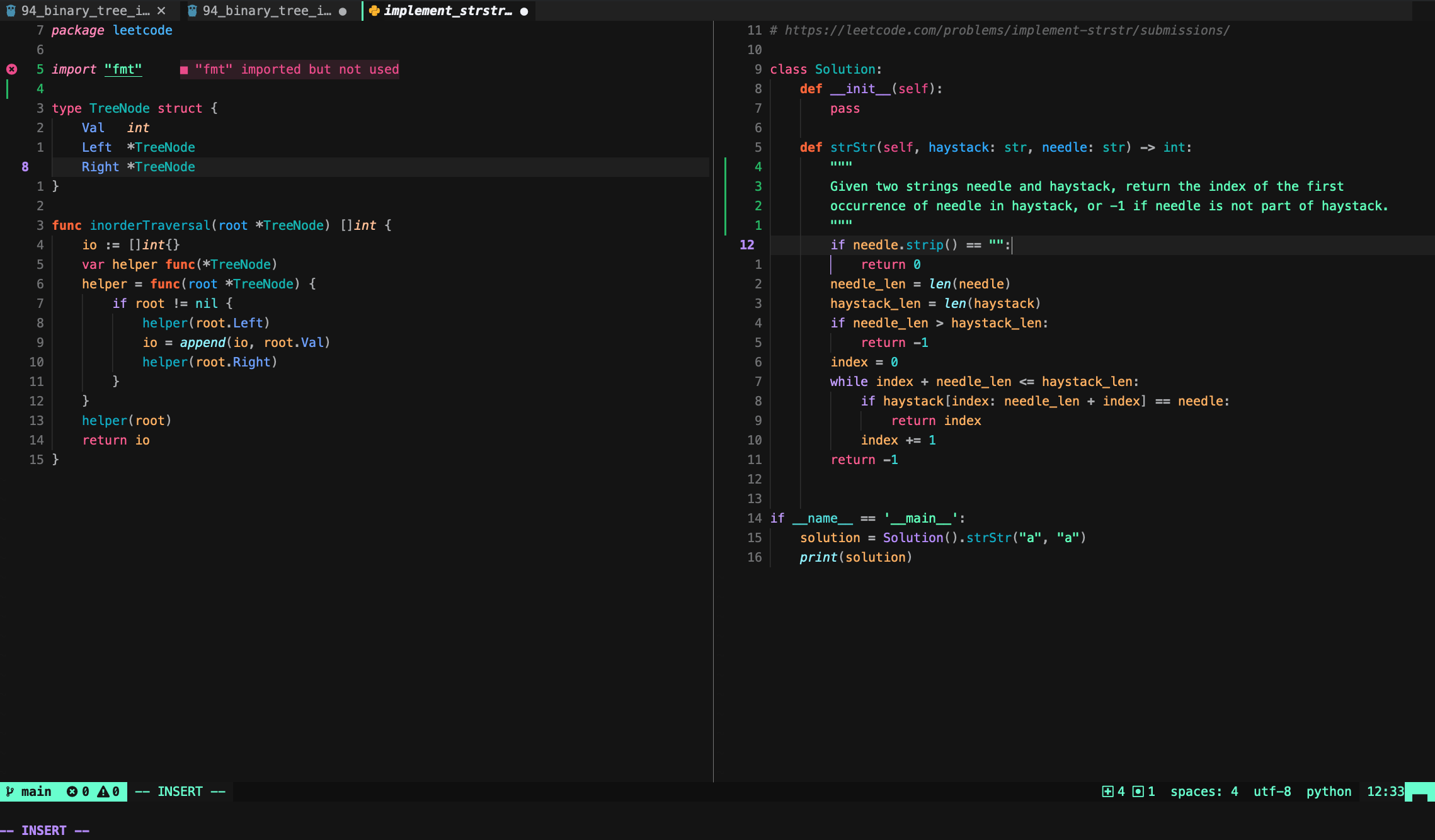
Installation
Currently lush.nvim is a pre-requisite. Install it with your preferred package manager.
| Plugin Manager | Command |
|---|---|
| Packer | use { 'kartikp10/noctis.nvim', requires = { 'rktjmp/lush.nvim' } } |
| Vim-plug | Plug 'kartikp10/noctis.nvim' |
| NeoBundle | NeoBundle 'kartikp10/noctis.nvim' |
| Vundle | Bundle 'kartikp10/noctis.nvim' |
| Pathogen | git clone https://github.com/kartikp10/noctis.nvim.git ~/.vim/bundle/noctis.nvim |
| Dein | call dein#add('kartikp10/noctis.nvim') |
Usage
syntax on
colorscheme noctis
Supported Plugins
- TreeSitter
- Telescope
- Lualine
- Bufferline
- NvimTree
- GitSigns
Inspired by
This colorscheme is inspired by the following:
If you're interested in creating your own theme I highly recommend checking out lush.nvim to get started. It provides real-time feedback and guides you in building structured colorschemes.